Database optimization is the process of improving how a database stores, retrieves, and processes data so that queries run faster, systems handle more load, and infrastructure costs less. It spans query tuning, indexing, schema design, partitioning, caching, and resource configuration. In modern cloud data platforms, it also includes cost optimization, because every inefficient query is billed by the second.
That last point is what many database optimization guides understate. The discipline was born in an era of fixed, on-premises hardware, where a poorly optimized query primarily consumed capacity and degraded application performance. In consumption-priced platforms such as Snowflake, Databricks, and BigQuery, the same inefficiency can also create substantial recurring spend. Performance and cost are now tightly coupled optimization objectives.
This guide covers the fundamentals: the techniques that apply to any database, from PostgreSQL to a cloud data warehouse. It then covers the layer that has changed: why cloud-native databases make optimization both more urgent and harder, which metrics actually matter, and where automation and AI now do the work database administrators used to do by hand.
Why Database Optimization Matters
Unoptimized databases fail in three directions at once.
Performance. Slow queries compound. A dashboard that takes 40 seconds to load, an API that times out under load, a nightly pipeline that finishes at 10 a.m. instead of 6: these almost always trace back to a small number of inefficient queries, missing indexes, or misconfigured resources. Most teams find that a minority of queries consume the majority of compute.
Cost. In cloud data platforms, inefficiency is metered. An unpartitioned table scanned by a hundred daily queries, an oversized warehouse left running overnight, or a JOIN that spills to remote storage can each translate directly into spend. Many organizations uncover material optimization opportunities in cloud data warehouse usage, although the percentage varies by platform, workload, architecture, and operating discipline. As organizations layer AI workloads on top of their data platforms, the stakes rise again: retrieval-heavy pipelines multiply query volume, while token-based LLM costs add another consumption layer.
Reliability. An unoptimized database is a fragile one. Queries that behave under normal load fall over during month-end close or a traffic spike. Lock contention, connection exhaustion, and runaway queries cause outages that look like infrastructure failures but are actually optimization failures.
The business case is straightforward: database optimization is one of the few engineering investments that improves user experience, cuts cost, and reduces incident risk simultaneously.
Core Database Optimization Techniques
These techniques apply broadly across relational databases, cloud data warehouses, and most modern data platforms. What changes by platform is how you implement them, not whether they matter.
1. Query Optimization
Query optimization is the highest-leverage technique because query logic is where most performance is won or lost. The essential practices:
- Read the execution plan. Every major database exposes one (EXPLAIN in PostgreSQL and MySQL, the query profile in Snowflake, the execution details pane in BigQuery). The plan tells you whether the database is scanning full tables, using indexes, or spilling intermediate results to disk. Optimize based on what the plan shows, not on intuition.
- Select only what you need. SELECT * can force the engine to read, process, or transfer unnecessary columns. In columnar warehouses such as Snowflake and BigQuery, explicitly naming the required columns can substantially reduce bytes scanned and data moved; the effect is usually smaller in row-oriented operational databases.
- Enable predicate pushdown and pruning. Write filters so the optimizer can apply them close to the data source and eliminate rows or partitions early. Modern optimizers often reorder predicates automatically, but expressions, casts, or functions can prevent effective pushdown.
- Rewrite problematic subqueries. Correlated subqueries can become expensive when the engine evaluates them repeatedly. Test equivalent joins, window functions, or appropriately structured CTEs, and keep the form that produces the clearest logic and best measured execution plan. CTE behavior varies by database and may be inlined or materialized.
- Avoid functions on filtered columns. Wrapping an indexed or partitioned column in a function (WHERE DATE(created_at) = ...) typically prevents the database from using the index or pruning partitions.
A poorly written query can sometimes improve by orders of magnitude after these changes. The exact gain depends on data volume, engine behavior, concurrency, and the original bottleneck, so validate every rewrite with before-and-after measurements.
2. Indexing Strategy
An index is a data structure that lets the database find rows without scanning the entire table. Good indexing strategy comes down to three rules:
- Index the columns you filter and join on: the columns appearing in WHERE, JOIN, and ORDER BY clauses of your most frequent queries.
- Don’t over-index. Every index must be updated on every write, so unnecessary indexes slow inserts and updates while consuming storage. Audit for unused indexes regularly.
- Match the index type to the workload. Composite indexes for multi-column filters, covering indexes to satisfy queries entirely from the index, partial indexes for queries that always filter the same subset.
Cloud data warehouses handle access paths differently. Snowflake relies primarily on automatic micro-partitioning, clustering, and optional Search Optimization rather than traditional B-tree indexes. BigQuery uses partitioning, clustering, and search indexes for selected access patterns. The principle is the same - organize data so the engine reads less of it - but the available mechanisms vary by platform.
3. Schema Design and Data Modeling
Optimization starts before the first query is written. Normalization reduces redundancy and keeps writes consistent; denormalization reduces expensive joins for read-heavy analytical workloads. Transactional systems generally favor normalized schemas; analytical warehouses favor star schemas and wide, denormalized tables. Choosing correct data types matters more than teams expect. Storing timestamps as strings or using oversized numeric types inflates storage, breaks pruning, and forces implicit casts that disable optimizations.
4. Partitioning and Clustering
Partitioning divides large tables into segments, usually by date, so queries touching a narrow time range skip everything else. Clustering sorts data within storage so related rows sit together. Together, they enable pruning: the single most important performance mechanism in modern data warehouses. A query against a well-partitioned, well-clustered multi-terabyte table can scan gigabytes instead of terabytes. In per-byte-billed platforms like BigQuery, pruning is also the single most important cost mechanism.
5. Caching and Materialized Views
The fastest query is the one you don’t run. Result caching returns previously computed answers instantly; most cloud warehouses do this automatically when the underlying data hasn’t changed. Materialized views precompute expensive aggregations so dashboards read a small summary table instead of re-aggregating billions of rows. Application-side caching (Redis, Memcached) offloads repetitive reads from operational databases entirely. The trade-off is freshness. Cached and precomputed results lag reality, so match your caching strategy to how current the data actually needs to be.
6. Resource and Workload Management
Even well-written queries can perform poorly on misconfigured infrastructure. For operational databases, this often means using connection pooling, tuning memory so frequently accessed data stays in cache, and using read replicas where appropriate. For cloud warehouses, it means right-sizing compute, configuring auto-suspend where the platform supports it, separating competing workloads, and using budgets, quotas, or resource monitors to catch runaway spend. The exact controls differ across Snowflake, BigQuery, and Databricks.
7. Continuous Monitoring and Database Observability
Optimization is not a project; it is a control loop. Data volumes grow, query patterns shift, and schemas evolve. A database optimized in January may be inefficient by June. Database observability tracks query behavior and resource utilization, while data observability tracks signals such as freshness and pipeline health; together with cost telemetry, they help teams identify regressions before users or finance notice. Consistently efficient teams maintain a tight measurement and remediation loop rather than relying on one-time tuning.
Why Cloud-Native Databases Make Optimization Non-Negotiable
For on-premises databases, optimization was good engineering hygiene. For cloud-native databases, it is a financial control. Three structural facts of cloud platforms make it mandatory rather than optional:
Every inefficiency has a price tag. Consumption pricing means the meter runs on every scan, every idle minute, and every retry. Waste that was invisible on owned hardware becomes recurring spend. The same inefficient query pattern that cost nothing extra on-premises can cost thousands per month on Snowflake or BigQuery.
Elasticity removes the natural brake. On fixed hardware, a bad workload hit a capacity ceiling and forced someone to investigate. Cloud platforms simply scale up and bill you. Nothing breaks, no alarm fires, and the problem surfaces weeks later as an invoice. Elasticity converts performance problems into silent cost problems.
AI multiplied the workload. Feature pipelines, retrieval-augmented generation, and agentic workloads all hammer the data platform, and they add token economics as a second metered cost layer on top of compute. An unoptimized retrieval query inflates both warehouse credits and downstream LLM token spend. Optimizing the database layer is now part of optimizing AI unit economics, which is the operating premise of data FinOps.
The Challenges of Optimizing Cloud-Native Databases
If cloud-native optimization is more necessary, it is also genuinely harder. The challenges are structural, not a matter of effort:
1. Traditional tuning knobs are less central. Cloud warehouses abstract much of the storage engine, buffer management, and physical infrastructure, while exposing platform-specific controls such as clustering, search optimization, warehouse sizing, slot reservations, Photon, and liquid clustering. Traditional B-tree indexes are absent or less central in many analytical platforms, although some services provide specialized search or indexing features. Expertise transfers only partially across platforms.
2. Cost attribution is fragmented. Native platforms expose useful query history, billing exports, system tables, tags, and metering data, but connecting spend to a specific query, pipeline, team, or business unit often requires joining multiple telemetry sources and maintaining consistent ownership metadata. Without that attribution layer, teams may know they overspend without knowing where optimization will have the greatest impact.
3. The workload surface exceeds human review. A modern platform serves thousands of queries a day from BI tools, transformation frameworks, ad hoc analysts, and AI pipelines. Waste is distributed across thousands of individually small inefficiencies: a slightly oversized warehouse here, a redundant scheduled query there. No individual item justifies attention; collectively they dominate the bill. Manual review cannot find them.
4. Workloads change faster than tuning cycles. Schemas evolve weekly, new data sources arrive monthly, and query patterns shift with every product launch. Point-in-time optimization decays in months. Cloud-native optimization has to be continuous to hold, which is a staffing model most teams don’t have.
5. Performance and cost trade off invisibly. Bigger warehouses make queries faster and bills larger; smaller ones do the reverse. Finding the configuration where a workload meets its SLA at minimum cost requires experimentation across sizes, and the honest answer differs per workload and per hour of the day. Few teams run those experiments; most guess, and most guess large.
6. The skills market can’t fill the gap. The role this work demands (part DBA, part FinOps analyst, part platform engineer, fluent in multiple warehouses) barely exists as a hiring category. Even well-funded data teams cannot staff continuous optimization across their full estate.
These six challenges share a shape: the work is continuous, distributed, and cross-platform, while human attention is periodic, focused, and specialized. That mismatch is why the discipline is shifting toward automation.
Database Optimization Metrics That Actually Matter
Track these to know whether optimization is working:
The last two rarely appear in traditional optimization guides, and they’re the ones executives ask about. Cost-per-workload is what converts optimization from an engineering hygiene task into a reportable business result.
Manual vs. Autonomous Database Optimization

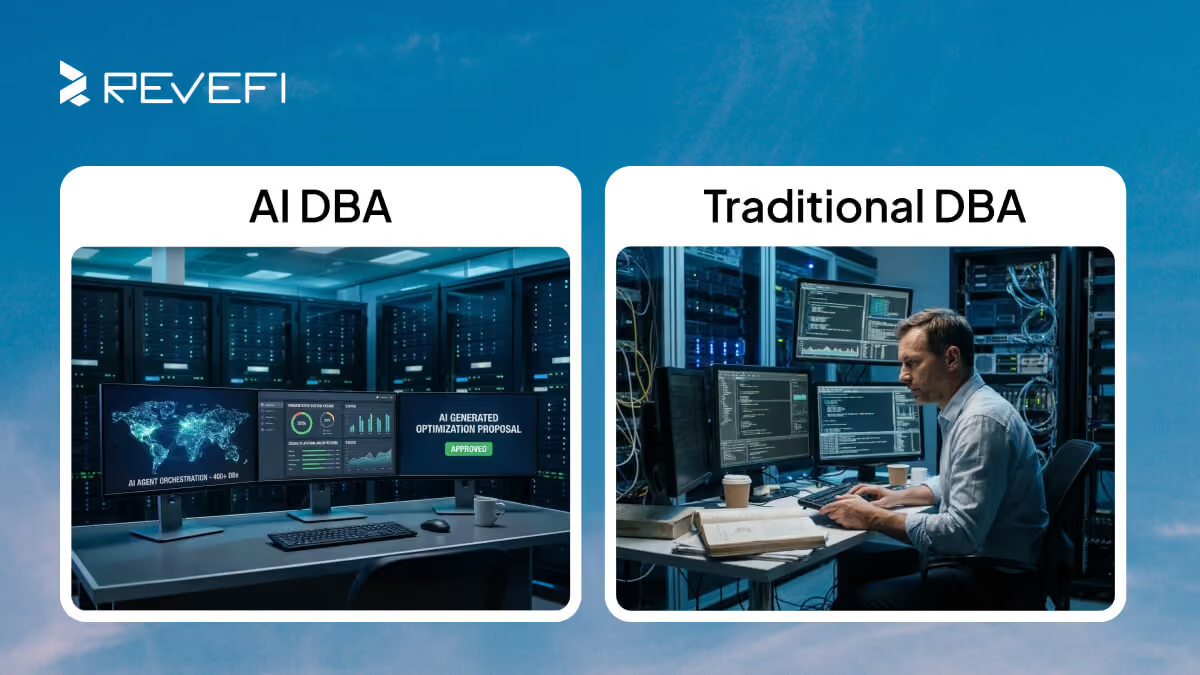
Historically, all of the above was a human job title: the database administrator. A DBA reviewed execution plans, maintained indexes, chased slow queries, and sized hardware. That model strains against the cloud-native challenges above for a simple reason of scale. Thousands of queries, dozens of pipelines, multiple platforms, and costs that change hourly exceed what manual review can cover.
The response is autonomous database optimization: software that continuously observes the workload, identifies inefficiencies such as oversized compute, poorly organized hot tables, redundant queries, spilling joins, or idle resources, quantifies their cost, and recommends - or, where policy and permissions allow, applies - corrective actions. This is the premise behind the AI DBA category: an agent that extends DBA practices across large workloads while attaching performance and spend impact to each finding.
Results can surface quickly when telemetry and attribution are already available. In one Revefi engagement at a Fortune 200 enterprise, the platform identified seven figures in potential savings within three weeks, roughly five times the savings the team had expected. Distributed inefficiencies like these are difficult to find through periodic manual review alone. See the full customer results
Manual optimization skills still matter; understanding why a query is slow makes you a better engineer. But the operating model is shifting: humans set policy and priorities, autonomous systems handle detection and remediation at scale.
Database Optimization Best Practices: A Checklist
- Measure before you optimize. Establish baselines for query latency, scan volume, and cost. Optimizing without measurement frequently makes things worse.
- Start with the top ten queries. By cost or by latency: a small number of queries almost always dominates. Fix those before anything else.
- Make execution plans routine. Review them for every new query pattern that touches significant data.
- Partition large tables using a key that matches common access patterns - often, but not always, a date - and verify pruning. Confirm queries actually skip partitions; functions, casts, or mismatched data types on the partition column can prevent pruning.
- Audit indexes, clustering, partitioning, and search-optimization features on a cadence appropriate to workload change. Remove structures that create more maintenance cost than benefit, and add or adjust those needed by high-value queries.
- Set auto-suspend and resource monitors everywhere. Idle compute is pure waste, and runaway queries should hit a guardrail, not the invoice.
- Assign cost to workloads and teams. Waste hides in unattributed spend. Unit economics create accountability.
- Automate the watching. Continuous observability across performance, quality, and cost. Human review alone does not scale to modern query volumes.
- Re-optimize on change. New data sources, schema changes, and workload growth all invalidate old tuning. Treat optimization as a loop, not a milestone.