
Snowflake’s consumption-based architecture allows organizations to scale data engineering, analytics, business intelligence, machine learning, and agentic AI workloads without maintaining fixed infrastructure. However, this flexibility introduces a complex cost model. Spanning virtual warehouse credits, serverless services, cloud services, storage, data transfer, container infrastructure, and AI token consumption, Snowflake’s ecosystem has expanded from a cloud data warehouse into an integrated data and AI platform, thereby making conventional cost dashboards increasingly inadequate.
FinOps teams now need to govern not only warehouse runtimes but also Cortex Agents, Cortex AI Functions, Cortex Search, Snowflake CoWork (formerly Snowflake Intelligence), Snowflake CoCo (formerly Cortex Code), Snowpark Container Services, Openflow Pipelines, and other continuously operating services.
The ideal Snowflake FinOps solution must connect financial data with query telemetry, workload behavior, AI execution traces, data-pipeline activity, and business ownership. It should explain where credits were consumed, what caused a cost spike, who owns the workload, and which corrective action can safely reduce expenditure.
Understanding the Complete Snowflake Cost Model
Snowflake expenditure is primarily the aggregate of compute, storage, and data-transfer costs. Compute includes user-managed virtual warehouses, Snowflake-managed serverless services, the cloud services layer, and compute pools used by Snowpark Container Services. The final monetary cost depends on the number and type of credits consumed and the organization’s contracted credit price.
A comprehensive Snowflake FinOps platform must track:
- Virtual warehouse credits
- Serverless feature consumption
- Cloud services credits
- AI Credits and token usage
- Snowpark Container Services compute pools
- Storage and retention growth
- Cross-region and cross-cloud data transfer
- Openflow compute and infrastructure
- Marketplace and Native App consumption
A FinOps solution that monitors only virtual warehouse usage will miss a growing percentage of an enterprise’s overall, end-to-end Snowflake spend.
Analyze Virtual Warehouse Credit Consumption
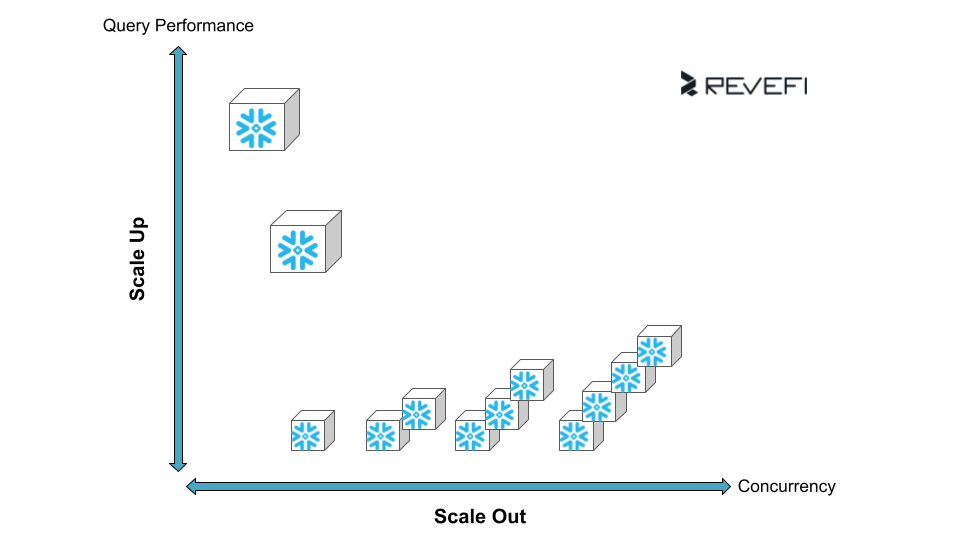
Virtual warehouses consume credits while they are active. Their consumption rate is influenced by warehouse size, runtime, generation, cluster count, and scaling behavior.
Moving to the next warehouse size typically increases the credit-consumption rate. A larger warehouse may still be cost-efficient when the reduction in execution time is proportional to the increase in capacity. However, when performance improves only marginally, the cost per query increases.
The FinOps platform should analyze:
- Productive execution time versus idle runtime
- Credits consumed per query
- Query latency by warehouse size
- Queued workload time
- Local and remote spill
- Cluster expansion
- Warehouse resize events
- Auto-suspend and resume behavior
- Workload concurrency
- Resource utilization over time
Snowflake’s QUERY_ATTRIBUTION_HISTORY view attributes warehouse compute credits to individual queries and incorporates resizing and multi-cluster autoscaling. However, it excludes credits consumed while the warehouse is idle. A Snowflake FinOps solution must therefore reconcile query-attributed consumption with warehouse metering data to identify both productive and unallocated idle credits.
What are the Causes of Snowflake Credit Spikes?
Snowflake cost spikes are rarely caused by billing errors. They usually result from changes in configuration, workload volume, query efficiency, data freshness requirements, or AI application behavior.
Oversized Warehouses
A warehouse may be oversized when its higher credit rate does not produce a proportional improvement in query latency or throughput. The FinOps solution should model the likely performance and cost impact of moving workloads to a smaller warehouse.
Idle Runtime
Warehouses continue consuming credits until they suspend. Long auto-suspend intervals, disabled suspension, persistent dashboard requests, and fragmented batch schedules can prevent warehouses from shutting down. A high idle-credit ratio indicates a scheduling, workload-isolation, or warehouse-policy problem.
Multi-Cluster Expansion
Multi-cluster warehouses add clusters to process concurrent workloads. Each active cluster increases the credit-consumption rate. Expansion may be legitimate, but it can also be triggered by inefficient queries, aggressive scaling policies, dashboard refresh storms, or incompatible workloads sharing the same warehouse. A FinOps platform must correlate each scale-out event with query concurrency, queueing, cluster utilization, and workload ownership.
Inefficient SQL
Query inefficiency extends warehouse runtime and can trigger additional cluster activation. Common problems include:
- Excessive micro-partition scans
- Poor pruning efficiency
- Cartesian joins
- Exploding join cardinality
- Repeated full-table scans
- Remote disk spilling
- Redundant transformations
- Unselective predicates
- Excessive dashboard refresh frequency
- Repeated execution of equivalent queries
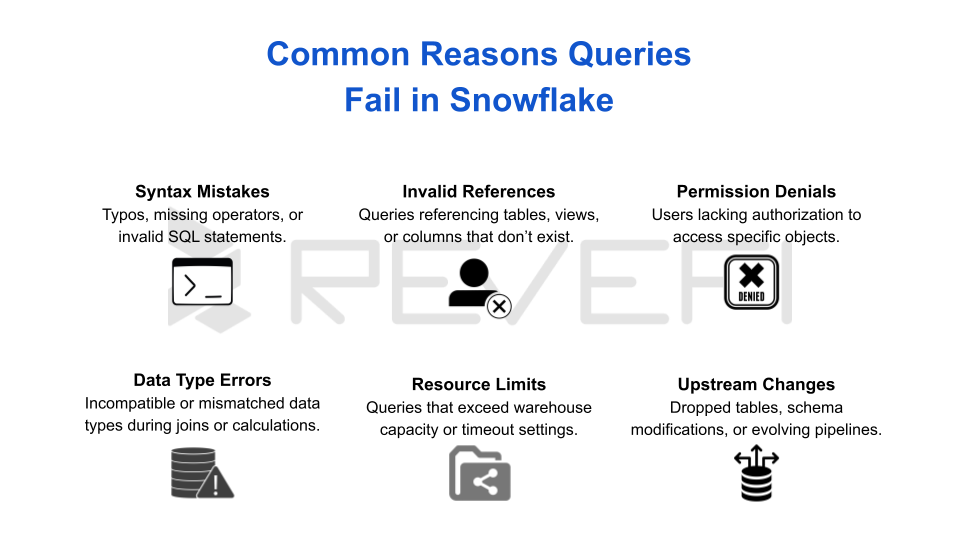
The ideal solution should identify the specific query, operator, table, user, and downstream application responsible for incremental credit consumption.
Taking Agentic AI Token Burn into Account
Agentic AI changes Snowflake cost management because one user request can initiate many model calls, tool invocations, searches, SQL queries, retries, and validation steps.
A traditional chatbot may process one input prompt and return one response. However, the Cortex Agent (or Snowflake Intelligence workflow) can instead:
- Interpret the user’s objective.
- Select one or more tools.
- Invoke Cortex Analyst.
- Search unstructured information with Cortex Search.
- Generate or execute SQL.
- Inspect intermediate results.
- Retry failed steps.
- Apply guardrails.
- Generate the final response.
Snowflake Intelligence and Cortex Agents are billed using AI Credits based on token consumption.
Agentic AI token burn can spike because of:
- Large system prompts
- Long conversation histories
- Excessive retrieved context
- Repeated tool selection
- Multi-agent delegation
- Failed SQL generation
- Retry loops
- Verbose model outputs
- High reasoning depth
- Ineffective stopping conditions
- Reprocessing of unchanged context
- Poorly constrained autonomous workflows
Per-agent monitoring is increasingly important. Snowflake exposes usage history for Snowflake Intelligence and Cortex services, while CORTEX_ANALYST_USAGE_HISTORY reports credits consumed by Cortex Analyst calls along with message metadata.
Evaluating Cortex AI Function Cost Controls
Cortex AI Functions such as AI_COMPLETE, AI_SUMMARIZE, AI_TRANSLATE, and AI_SENTIMENT generally incur consumption based on tokens or feature-specific units. Rates vary by function and model.
Costs can increase rapidly when AI functions are embedded in SQL that processes large tables. For example, applying an LLM function to every row in a dataset may generate millions of model calls or repeatedly process substantial input context.
The FinOps platform should monitor:
- Input and output tokens
- Model selected
- Credits per million tokens
- Function invocation count
- Rows processed
- Prompt length
- Response length
- User, role, and query
- Failed invocations
- Repeated prompts
- Batch versus interactive execution
Snowflake’s AI_COUNT_TOKENS function can estimate token volume before execution. A mature FinOps platform should incorporate token estimation into policy controls, preventing high-volume AI SQL from running without review.
Include Cortex Search Economics
Cortex Search introduces multiple cost dimensions. These can include embedding generation, refresh processing, serving infrastructure, storage, and query activity. Embedding costs depend partly on the number of tokens processed from the indexed search column and the embedding model selected.
Common Cortex Search cost drivers include:
- Large document collections
- Frequent source-table changes
- Short refresh intervals
- Re-embedding modified content
- High query volume
- Oversized indexed columns
- Duplicate documents
- Unnecessary service uptime
- Multiple overlapping search services
Snowflake introduced auto-suspend and resume capabilities for Cortex Search Services in 2026, followed by resource budgets for Cortex Search in July 2026. These controls can help reduce inactive serving costs and enforce service-level consumption limits.
A FinOps platform should determine whether a Cortex Search service is delivering enough searches, agent completions, or business transactions to justify its total indexing and serving cost.
Tracking 2026 Snowflake Features, Updates and Their Cost Effects
Snowflake releases new features continuously. A FinOps solution must adapt its telemetry and allocation logic as new services move from preview to general availability.
Adaptive Compute
Adaptive Compute became generally available in June 2026. Adaptive Warehouses allow Snowflake to manage compute scaling and tuning dynamically for analytical and data-loading workloads.
This reduces manual warehouse administration, but it does not eliminate the need for FinOps. Teams must still evaluate the credits consumed, cost per workload, performance gains, and whether adaptive scheduling delivers better unit economics than static warehouse configurations.
Dynamic Table Enhancements
Snowflake introduced adaptive refresh mode, custom incremental dynamic tables, frozen regions, and additional incremental-refresh capabilities during 2026. Dynamic tables consume warehouse compute for refresh execution and cloud services resources for scheduling and change detection.
Very short target lags can create substantial cloud services activity. Snowflake provides an example in which 200 dynamic tables with a one-minute target lag generate approximately 288,000 change-detection checks per day, even when source data has not changed.
Snowpark Container Services
Snowpark Container Services uses compute pools rather than conventional warehouses. Costs may include CPU or GPU instance consumption, image storage, block storage, internal data transfer, external transfer, and service runtime.
Snowflake added new instance families, ARM instances, autoscaling policies, custom runtime images, and backup instance types during 2026. These features expand deployment flexibility but also create more infrastructure configurations that must be financially governed.
Snowflake Openflow
Openflow is now generally available for Snowflake deployments across major commercial cloud platforms. Its cost model can include compute, connector runtime, data ingestion, Snowpark Container Services resources, and underlying cloud infrastructure (including bring-your-own-cloud deployments).
Openflow costs should be attributed by connector, runtime, source, destination, business owner, and volume transferred.
Cortex AI Guardrails and Document AI
Cortex AI Guardrails became generally available in 2026 and now supports Cortex Agents and Snowflake CoWork. Guardrails improve safety and governance but introduce an additional measurable service-consumption category. Snowflake added the CORTEX_AI_GUARDRAILS_USAGE_HISTORY view to improve cost visibility.
Document-processing capabilities such as AI_PARSE_DOCUMENT, AI_EXTRACT, and AI_TRANSCRIBE may be priced by pages, tokens, audio duration, or the applicable service unit. FinOps teams should monitor document size, page count, retry volume, extraction mode, and repeated processing.
Choose a FinOps Platform Built for Snowflake’s Future
The ideal FinOps solution for Snowflake must extend beyond warehouse cost monitoring. Within one attribution and optimization framework, the platform should govern your Snowflake ecosystem from end-to-end.
What organizations need from an effective Snowflake FinOps platform are:
- Continuous cost intelligence
- Granular attribution
- Workload-aware anomaly detection
- Token-level AI observability
- Unit economics
- Commitment forecasting
- Guardrailed automation
Require Granular Snowflake Cost Attribution
An effective Snowflake FinOps solution should provide detailed cost attribution across accounts, departments, cost centers, environments, warehouses, compute pools, users, roles, queries, pipelines, dynamic tables, Cortex Search services, Openflow connectors, dashboards, applications, customers, AI agents, models, and product features. Although Snowflake supports showback and chargeback through tags, usage views, and organizational mappings, raw telemetry often requires enrichment to connect shared users, service accounts, and centralized compute resources to the teams or applications responsible for consumption.
Demand Behavioral Cost Anomaly Detection
Static budget thresholds cannot distinguish predictable business growth from inefficient or abnormal Snowflake usage. A modern FinOps platform should establish time-aware baselines for warehouse credits, query costs, AI Credits, agent token consumption, dynamic table refreshes, Cortex Search services, compute pool utilization, pipeline runs, active users, and business transactions.
Alerts should explain the root cause of a cost spike rather than merely report the percentage increase. For example, the solution should identify when an AI agent enters a retry loop, repeatedly invokes Cortex Search, generates unusually large prompts, or runs expensive SQL queries on an oversized warehouse.
Insist on Policy-Governed Automation
A Snowflake cost optimization solution should recommend or execute controlled actions such as warehouse right-sizing, idle resource suspension, auto-suspend configuration, cluster-limit adjustments, runaway-query termination, dynamic table lag optimization, inactive Cortex Search suspension, compute pool scaling, and team-level budget enforcement.
For AI workloads, policies should limit token consumption, restrict expensive models, stop repeated retries, and control usage by team or cost center. Snowflake’s AI and resource budget capabilities can support governance across AI Functions, Cortex Agents, Cortex Code, Snowflake CoWork, and Cortex Search when combined with automated anomaly detection and remediation workflows.
Revefi’s Agentic AI Solution for Snowflake
Teams should remember that Snowflake budgets themselves run as billable, serverless tasks to collect and process usage data.
Using read-only, metadata-driven integrations, Revefi analyzes usage, queries, jobs, workload behavior, and cost signals. AI agents identify anomalous spend, overprovisioned compute, performance regressions, and inefficient workloads, then recommend or execute approved actions such as rightsizing, autoscaling adjustments, idle-resource reclamation, and query optimization.
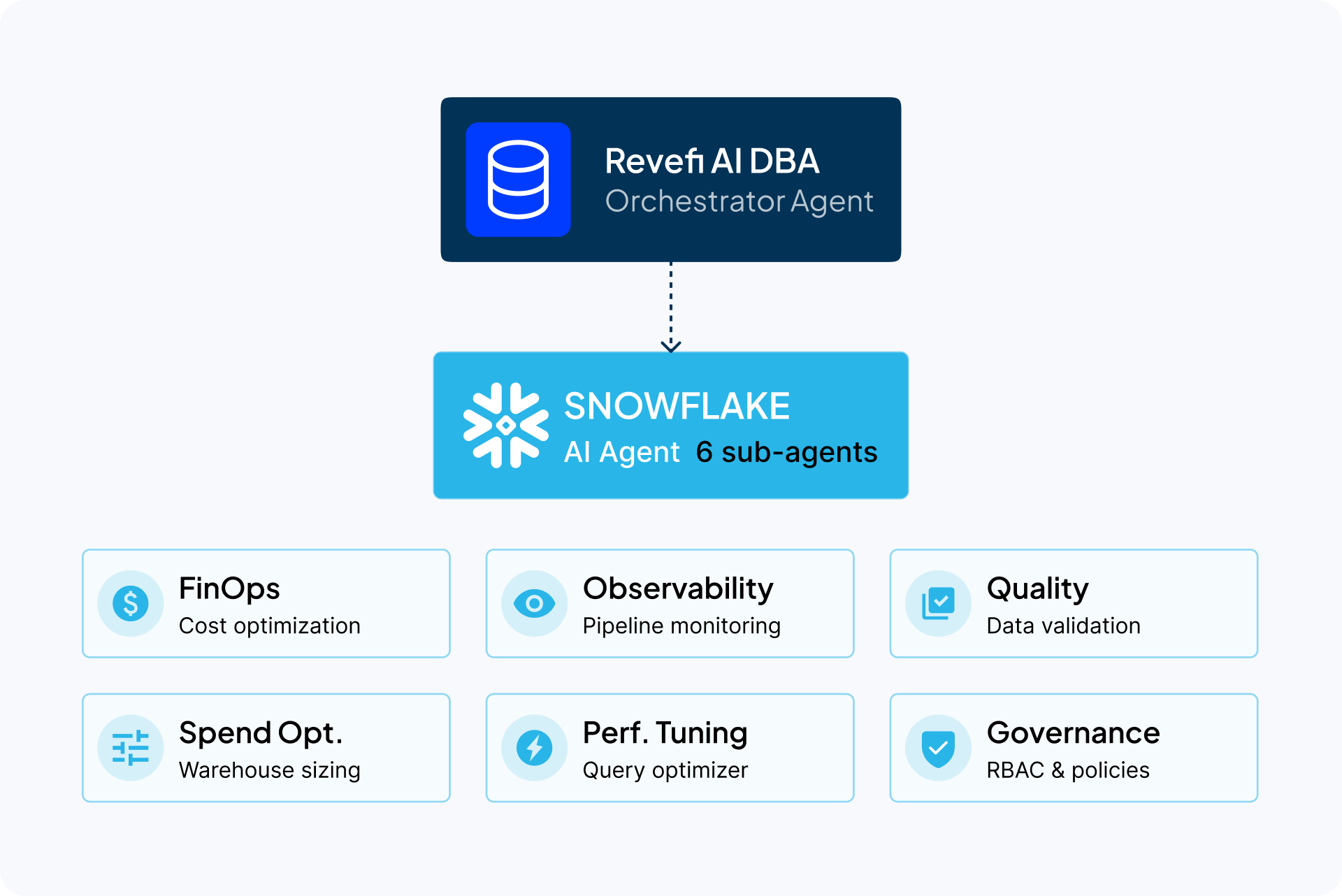
For AI workloads, Revefi tracks users, agents, models, prompts, latency, failures, and token consumption, helping teams trace costly calls, allocate spend accurately, and improve unit economics. Discover more about Revefi today.