
It’s no secret that Databricks has become the go-to powerhouse for data engineering and AI. As we move through 2026, companies are leaning on it more than ever to turn massive piles of data into actual business outcomes.
But here’s the kicker: the more you use it, the faster the cloud bills can spiral out of control! If you don't have a solid game plan for cost management, your data platform expenses can easily outpace the value you're getting back. In fact, things like idle clusters and over-the-top configurations can inflate your costs by as much as 80%.
Why Do Databricks Costs Spike? And How Can We Fix That?
Here are the usual suspects behind those runaway Databricks invoices:
- Idle Compute Resources:
Leaving clusters running when no one is using them is basically like leaving the lights on in an empty office building.
- Overprovisioning:
It’s tempting to pick the biggest, fastest instances, but often, you’re paying for horsepower you simply don't need.
- Inefficient Configurations:
Default settings aren't always your friend. Fine-tuning your environment to match your specific workload is key.
What Are The Most Effective Methods To Optimize Databricks Costs in 2026?
To keep your Databricks environment sustainable in 2026, you need to bridge the gap between innovation, velocity and disciplined spending.
The first step in any cost optimization journey is gaining complete visibility into your Databricks usage. Without it, you're essentially navigating in the dark, unable to identify waste or inefficiencies.
Databricks makes it a bit easier through its System Tables, which provide granular data on billing, usage, and performance metrics. Enable System Tables in your workspace to access tables like system.billing.usage, which tracks Databricks Units (DBUs) consumption at the job, cluster, and user level.
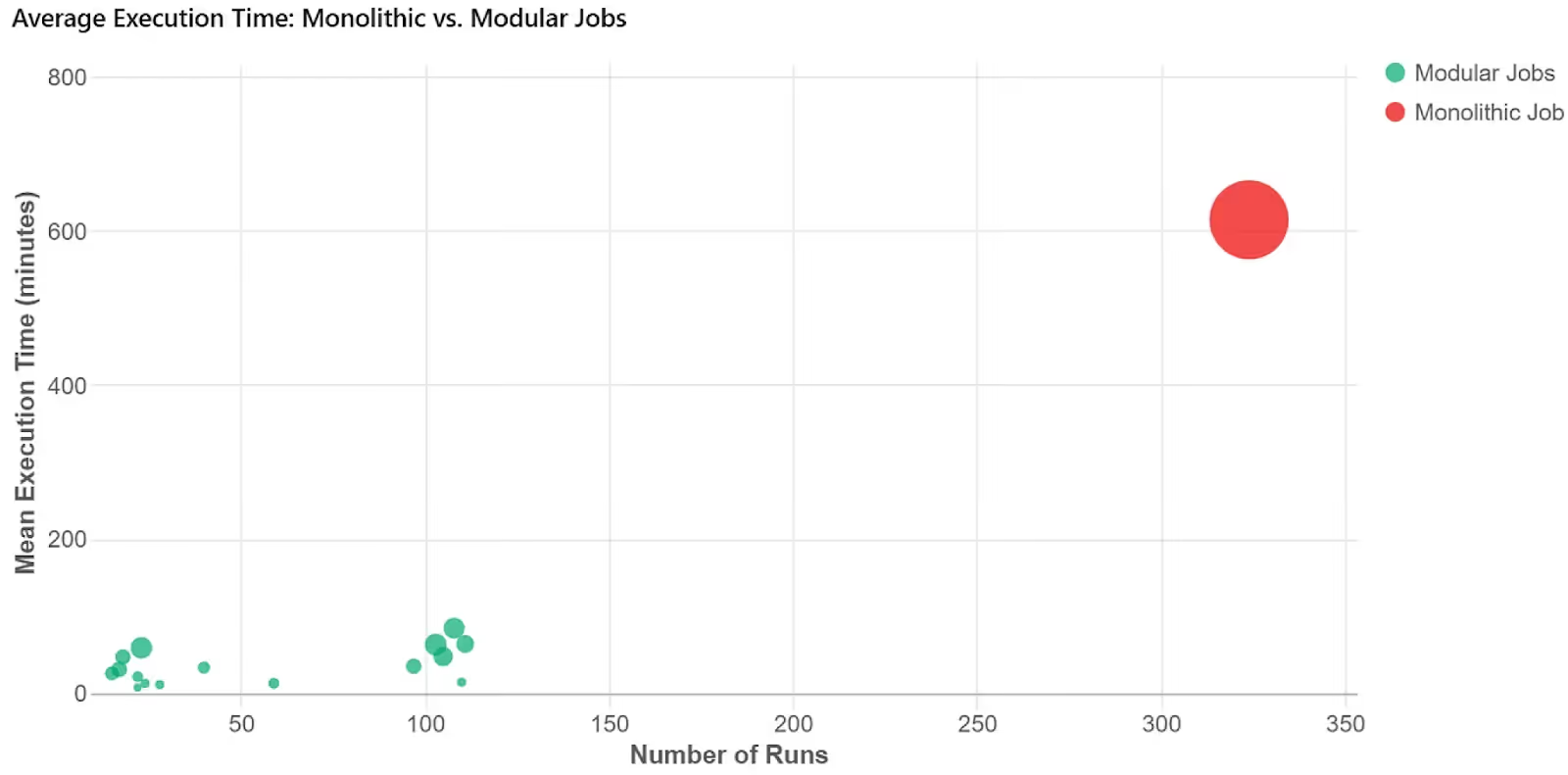
Right-Sizing Resources: Matching Compute to Workloads
Overprovisioning is a major driver of unnecessary cloud costs in Databricks environments. Effective cost optimization starts with choosing the right compute option.
Use Job Compute for scheduled ETL and batch workloads instead of All-Purpose Compute to avoid paying for always-on clusters. For SQL and BI workloads, Databricks SQL Warehouses are more efficient and come with Photon enabled by default, delivering faster query performance and lower DBU consumption.
Proper cluster sizing is equally critical. Instead of relying on default configurations, analyze historical usage data from System Tables to determine appropriate CPU, memory, and node requirements. Smaller clusters may be sufficient for lightweight transformations, while ML workloads often benefit from GPU-enabled instances. Reviewing cluster sizing quarterly helps maintain efficiency as data volumes grow.
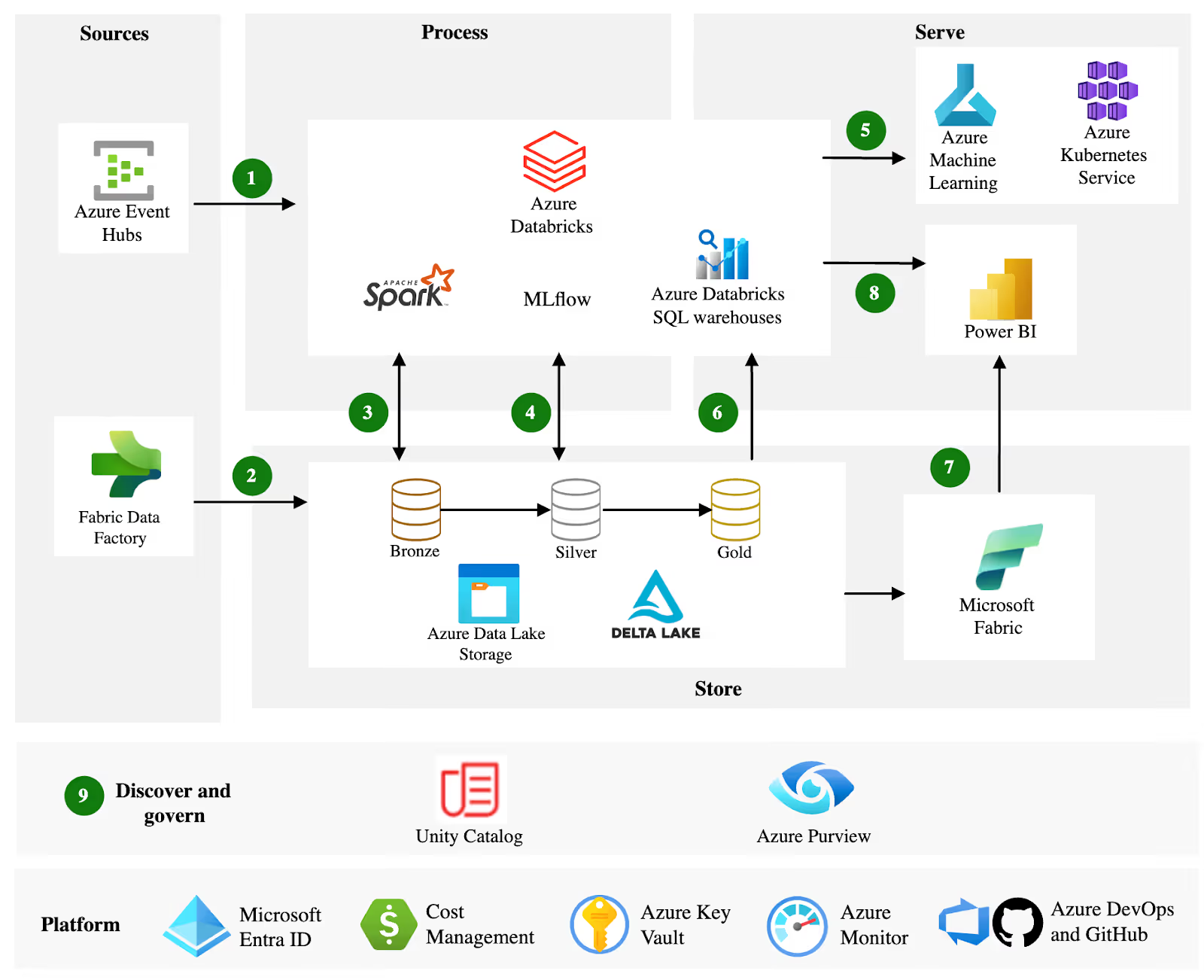
Optimization tools within Databricks can identify underutilized resources and recommend improvements. Additionally, upgrading to the latest Databricks Runtime versions ensures performance enhancements that can reduce compute time.
Mastering Cluster Management and Autoscaling
Effective cluster management is key to avoiding idle time, which can account for 30-50% of Databricks spend. In 2026, autoscaling remains a cornerstone practice. Enable it on all clusters to dynamically adjust worker nodes based on load, scaling down during lulls to minimize costs. Set clear boundaries: define minimum and maximum nodes to prevent runaway scaling during spikes.
Combine autoscaling with auto-termination policies. Set aggressive timeouts (e.g., 10-15 minutes of inactivity) for interactive clusters. For production jobs, use Job Scheduling to run tasks during off-peak hours, leveraging lower cloud rates. Databricks Workflows automate this, allowing dependency-based orchestration that ensures clusters spin up only when needed.
Spot Instances offer massive savings (up to 90% off on-demand pricing) for fault-tolerant workloads like batch processing. Databricks has improved Spot integration, with fallback to on-demand instances during interruptions. Use them for development and testing environments, but test thoroughly to handle potential preemptions.
For spiky BI loads, shift to Serverless SQL, which abstracts infrastructure management and bills only for actual query time. This eliminates provisioning overhead, making it ideal for unpredictable usage patterns.
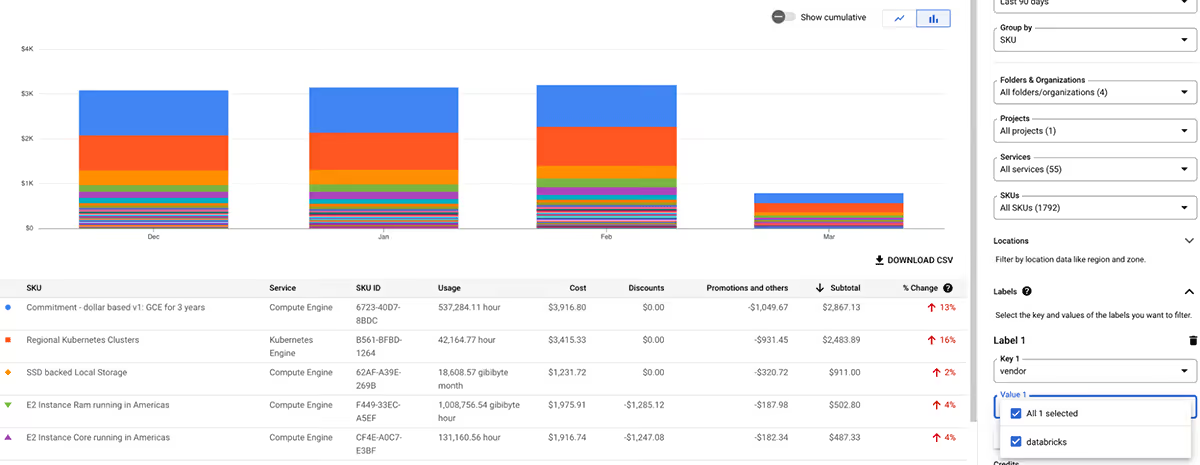
Optimizing Storage For Better Cost Savings
Storage costs often fly under the radar but can accumulate quickly with petabyte-scale data lakes. Delta Lake, Databricks' open-source storage layer, is non-negotiable for optimization. It supports features like Z-Ordering and data skipping, which reduce scan times and thus compute costs.
Enhancements to Delta's Intelligent File Management automatically compact small files, cutting storage by 50% in some scenarios.
Implement partitioning and clustering strategies based on query patterns. For time-series data, partition by date to prune unnecessary reads. Use Delta Caching on clusters to store frequently accessed data in memory, speeding up iterative workloads like ML training. Regularly run OPTIMIZE commands to merge files and VACUUM to remove old versions, preventing bloat.
Tier storage wisely: move cold data to cheaper options like AWS S3 Glacier or Azure Cool Blob. Databricks Unity Catalog helps govern this, enforcing access controls while tracking usage for cost allocation. Aim for a 70/30 split: 70% hot data in standard storage, 30% archived.
Advanced FinOps via System Tables
The most effective way to cut costs in 2026 is querying the system catalog. Databricks now exposes granular billing and compute logs natively.
Key Query Patterns:
- Detecting "Spill to Disk":
If your queries are spilling to local storage, they are running 5–10x longer.
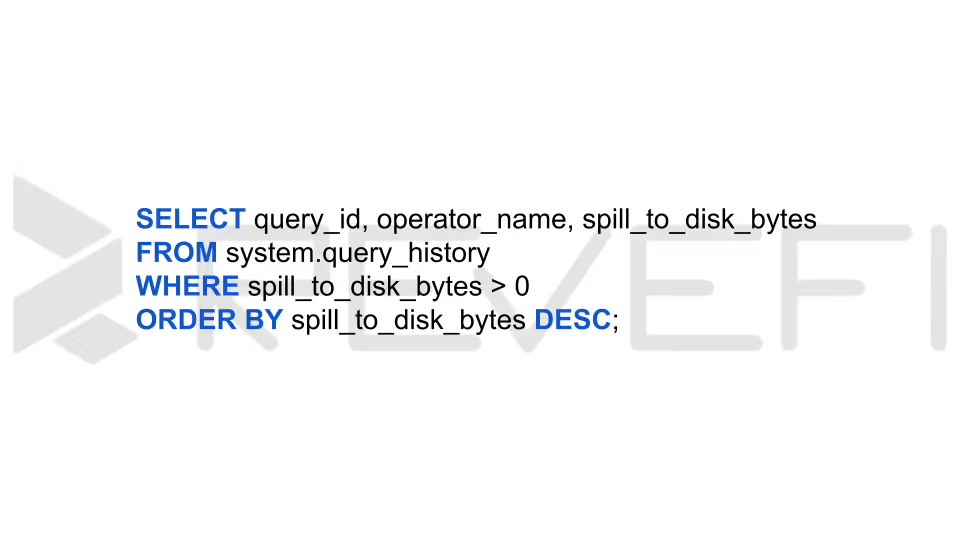
Fix: Move these to "Memory Optimized" instance types or increase the Serverless warehouse size to avoid the disk I/O bottleneck.
- The "Zombie" Detection: Identify interactive clusters that are on for 8 hours but only executing queries for 20 minutes.
- Photon and Vectorized Execution Photon is no longer considered an optional upgrade as it is the preferred standard engine for most 2026 runtime environments. Having said that, it’s important to note that it comes at a premium, typically consuming about twice the DBUs per hour compared to the standard runtime.
- Best Practice: Enable Photon for compute-intensive workloads, especially those involving large aggregations and complex joins in ETL pipelines, where its performance advantages justify the additional cost.
- Cost Guidance: For straightforward data transfers or pass-through ingestion tasks (such as workloads in the Bronze layer) Photon may be unnecessary. If the job is primarily I/O-bound rather than CPU-intensive, the standard runtime can deliver comparable results at a lower DBU cost.
Conclusion
Effective Databricks cost optimization enables organizations to scale data and AI workloads sustainably while preserving budgets. The strategies shared above can deliver 50-70% savings alongside better performance.
Revefi provides real-time, granular spend visibility across queries, jobs, users, and serverless environments (detecting hidden inefficiencies that built-in tools miss).
Revefi auto-detects anomalies, recommends and often implements fixes (e.g., cluster resizing, idle termination, job tuning), and unifies cost insights with observability. Users report up to 60% reductions in Databricks costs, turning cost management into a proactive, self-driving automated process.
To learn more about how Revefi can help you take control of your Databricks costs, visit our official website, or schedule a free demo with our in-house experts.