Dynamic tables in Snowflake are tables that automatically refresh based on a defined query and target freshness. They simplify data transformation and pipeline management without requiring manual updates or custom scheduling. This first part covers what dynamic tables are, their key characteristics, and when to use them.
What Are Dynamic Tables?
Dynamic tables automatically maintain the results of a SQL query by refreshing as source data changes. They combine the performance benefits of materialized views with the automation of ETL pipelines.
Key Characteristics
1. Declarative SQL Definition
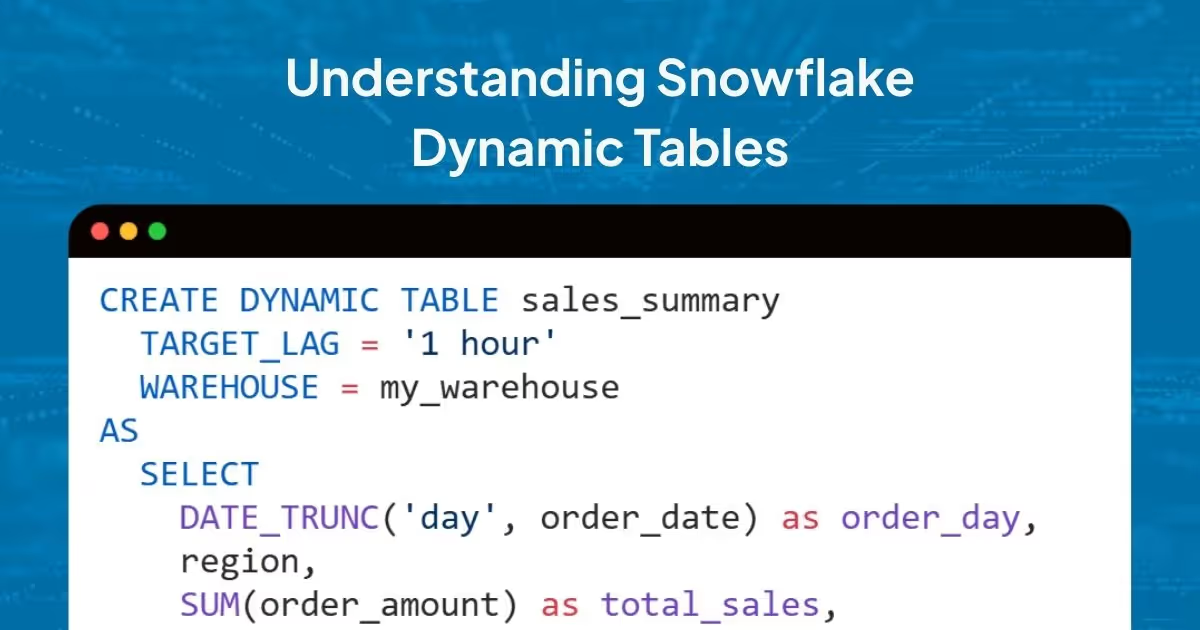
Unlike traditional ETL where you write procedural code to handle incremental updates, dynamic tables let you define the desired end state using SQL:
CREATE DYNAMIC TABLE sales_summary
  TARGET_LAG = '1 hour'
  WAREHOUSE = my_warehouse
AS
  SELECT
    DATE_TRUNC('day', order_date) as order_day,
    region,
    SUM(order_amount) as total_sales,
    COUNT(*) as order_count
  FROM orders
  GROUP BY 1, 2;
2. Automatic Refresh
Snowflake automatically determines what changed in your source tables and only processes the delta. This incremental approach means faster refreshes and lower compute costs compared to full table scans.
3. Target Lag Configuration
You control freshness through the TARGET_LAG parameter, which specifies the maximum acceptable delay between source data changes and their reflection in the dynamic table. This can range from seconds to days, depending on your use case.
4. Dependency Management
Dynamic tables can depend on other dynamic tables, creating a pipeline of transformations. Snowflake automatically manages the refresh order based on these dependencies.
Dynamic Tables vs. Materialized Views
While both provide pre-computed query results, they serve different purposes:
When to choose Materialized Views:
- Simple aggregations on single tables
- Query performance optimization for dashboards
- No complex transformations needed
When to choose Dynamic Tables:
- Multi-step data transformations
- Building data pipelines with dependencies
- Need for automatic, incremental updates
- Complex SQL with joins and window functions
Dynamic Tables vs. Streams and Tasks
Traditional Snowflake pipelines often use Streams (change data capture) combined with Tasks (scheduled SQL execution). Here's how dynamic tables compare:
Example: Traditional Stream + Task Approach
-- Create stream
CREATE STREAM order_stream ON TABLE orders;

-- Create task with manual merge logic
CREATE TASK update_summary
  SCHEDULE = '1 HOUR'
  WAREHOUSE = my_warehouse
AS
  MERGE INTO sales_summary t
  USING (
    SELECT DATE_TRUNC('day', order_date) as order_day,
           region,
           SUM(order_amount) as total_sales,
           COUNT(*) as order_count
    FROM order_stream
    GROUP BY 1, 2
  ) s
  ON t.order_day = s.order_day AND t.region = s.region
  WHEN MATCHED THEN UPDATE SET ...
  WHEN NOT MATCHED THEN INSERT ...;
Dynamic Table Equivalent
CREATE DYNAMIC TABLE sales_summary
  TARGET_LAG = '1 hour'
  WAREHOUSE = my_warehouse
AS
  SELECT
    DATE_TRUNC('day', order_date) as order_day,
    region,
    SUM(order_amount) as total_sales,
    COUNT(*) as order_count
  FROM orders
  GROUP BY 1, 2;
Dynamic tables eliminate merge logic, stream offset handling, and task scheduling.
When to Use Dynamic Tables
Ideal Use Cases
1. Data Transformation Pipelines
Transform raw data into analytics-ready formats with multiple steps. Dynamic tables work well for chained transformations:
-- Step 1: Clean and normalize
CREATE DYNAMIC TABLE cleaned_events
  TARGET_LAG = '5 minutes'
  WAREHOUSE = etl_wh
AS
  SELECT
    event_id,
    user_id,
    TRIM(LOWER(event_type)) as event_type,
    PARSE_JSON(event_data) as event_data
  FROM raw_events;

-- Step 2: Aggregate (depends on cleaned_events)
CREATE DYNAMIC TABLE hourly_metrics
  TARGET_LAG = '15 minutes'
  WAREHOUSE = etl_wh
AS
  SELECT
    DATE_TRUNC('hour', event_timestamp) as hour,
    event_type,
    COUNT(*) as event_count,
    COUNT(DISTINCT user_id) as unique_users
  FROM cleaned_events
  GROUP BY 1, 2;
2. Real-time Analytics
For near-real-time aggregations in dashboards or applications. Use TARGET_LAG to balance freshness with cost.
3. Data Mart Creation
Build dimensional models and star schemas from operational data. Dynamic tables handle incremental updates automatically.
4. Data Quality and Enrichment
Enrich source data with lookups, validations, or external data sources while maintaining incremental refresh.
When to Consider Alternatives
Avoid dynamic tables when:
- You need sub-second latency (use streams with tasks or real-time processing)
- Your transformations are too complex for SQL (consider external ETL tools)
- You have very infrequent updates (materialized views might be more cost-effective)
- You need to process data outside Snowflake (use external tools)
Refresh Modes
Dynamic tables support three refresh modes:
1. AUTO (Default)
Snowflake selects the most efficient mode based on query complexity and data changes.
2. INCREMENTAL
Processes only changed data since the last refresh. Faster and lower cost for large datasets with frequent small updates.
3. FULL
Reprocesses the entire dataset. Used for complex queries or when incremental refresh isn't possible.
You can specify the mode when creating a dynamic table:
CREATE DYNAMIC TABLE sales_summary
  TARGET_LAG = '1 hour'
  REFRESH_MODE = 'INCREMENTAL'  -- or 'FULL' or 'AUTO'
  WAREHOUSE = my_warehouse
AS
  SELECT ...
You can monitor which mode your dynamic tables are using through the INFORMATION_SCHEMA.DYNAMIC_TABLES view or by tracking refresh statistics. Understanding refresh patterns helps optimize performance and costs. Tools like Revefi can provide visibility into refresh history, duration, and mode and can help identify opportunities for optimization.
Getting Started
Create your first dynamic table:
-- 1. Ensure you have a warehouse
CREATE WAREHOUSE IF NOT EXISTS dt_warehouse
  WAREHOUSE_SIZE = 'SMALL'
  AUTO_SUSPEND = 60;

-- 2. Create the dynamic table
CREATE DYNAMIC TABLE customer_metrics
  TARGET_LAG = '30 minutes'
  WAREHOUSE = dt_warehouse
AS
  SELECT
    customer_id,
    COUNT(DISTINCT order_id) as total_orders,
    SUM(order_amount) as lifetime_value,
    MAX(order_date) as last_order_date
  FROM orders
  GROUP BY customer_id;

-- 3. Query it like any other table
SELECT * FROM customer_metrics
WHERE lifetime_value > 1000;
The table will automatically refresh based on your TARGET_LAG setting and changes to the source orders table.
Best Practices for Getting Started
- Start with conservative TARGET_LAG values - Use longer lags (1-4 hours) initially to understand refresh patterns and costs.
- Monitor refresh performance - Track refresh duration, success rates, and costs to identify optimization opportunities.
- Use appropriate warehouse sizes - Match warehouse size to data volume and refresh frequency.
- Test with small datasets first - Validate SQL logic and refresh behavior before scaling to production.
What's Next?
In Part 2, we'll cover observability, monitoring, common pitfalls, and performance optimization for dynamic tables. If connected to Revefi, you can view all dynamic tables, track refresh metrics, and receive optimization suggestions.
Understanding these fundamentals helps you decide when dynamic tables fit your architecture.